How to Track Daily Expenses at Home (Without an App)
Most expense apps fail for one reason: they ask for too much. Tracking only works when writing a spend takes less time than making chai. Here is a system that does.
Step 1: Decide what counts as a spend
Count money that leaves the house for good: ration, vegetables, rent, school fees, petrol, Swiggy. Do not count ATM withdrawals or money moved to your own savings account. Write what the cash was spent on instead, otherwise you count it twice.
Step 2: Use fewer, better categories
Ten to eighteen categories is the sweet spot. Too few and you learn nothing ("Home: ₹48,000"). Too many and you waste time choosing. A good Indian household list:
- Groceries & ration, Vegetables & fruits, Milk & dairy
- Rent or home EMI, Electricity, Water & gas cylinder, Mobile & internet
- Fuel & transport, School & tuition, Medicines & doctor
- Eating out, Clothes & shopping, House help, Festivals & gifts, OTT, Personal care, Repairs, Other
Step 3: Write it the same day
Pick one time: after dinner works for most people. Open your UPI app history, then add each spend in one line: date, category, amount, how you paid. Cash spends are the ones people forget, so keep a note on your phone during the day.
Step 4: Set a budget only after one month
Don't guess budgets on day one. Track a full month first, then set each category's budget a little below what you actually spent. Cutting 10% is realistic; cutting 50% lasts a week.
Step 5: Review on the 1st of every month
Ten minutes is enough. Look at three things:
1. Savings rate: (income − spending) ÷ income. Aim for 20% to start.
2. Categories over budget: is it a one-time thing (a wedding gift) or a habit (eating out every weekend)?
3. Next month's big spends: school fees, insurance premiums, festivals. Plan for them now.
Common mistakes
- Tracking only big spends. ₹80 chai-samosa every day is ₹2,400 a month.
- Mixing credit card bills and spends. Record the spend when you swipe, not when you pay the card bill.
- Giving up after a missed week. Just start again from today. A tracker with gaps still teaches you more than no tracker.
Make it easier
Our Household Expense Tracker does the adding for you: drop-down categories, a monthly budget that turns red when you cross it, a dashboard and a 12-month view. It works in Excel and the free Google Sheets app on your phone.
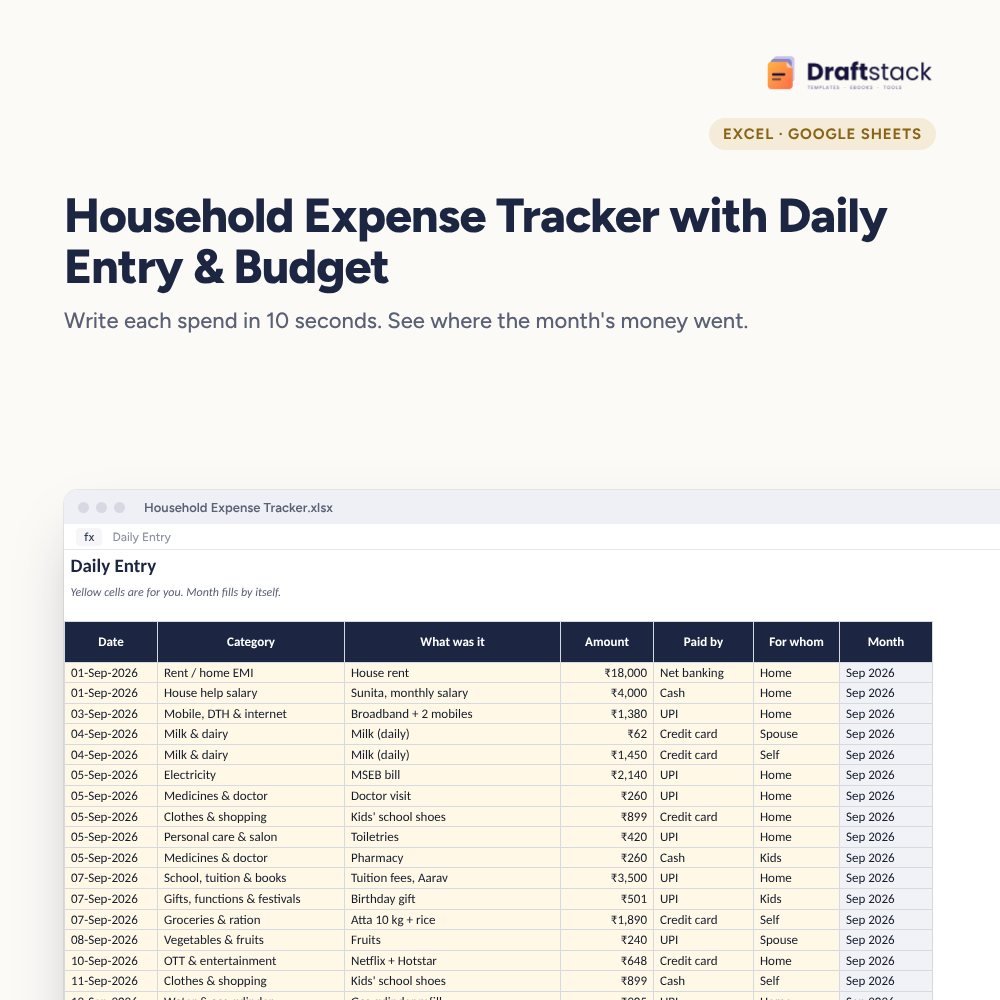 The template from this guideHousehold Expense Tracker with Daily Entry & Budget (Excel)
₹149
The template from this guideHousehold Expense Tracker with Daily Entry & Budget (Excel)
₹149  WhatsApp
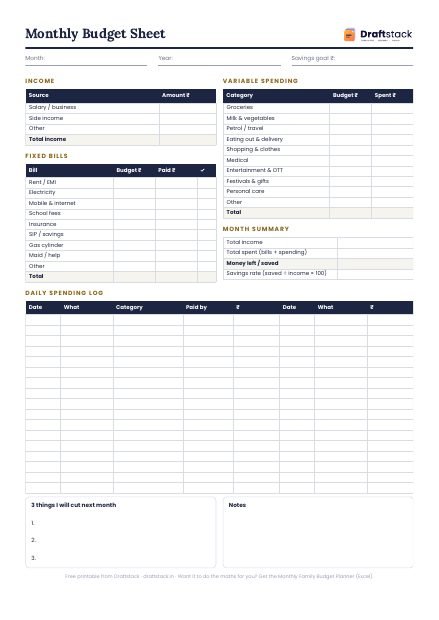
Free Monthly Budget Sheet
A printable one-page budget sheet: income, fixed bills, daily spending and savings for the month. Print it or fill it on your phone.
More guides
Rent vs Buy a House in India: How to Decide with Numbers
The real cost of buying (not just EMI), how to compare it fairly with renting, a worked example for an ₹85 lakh flat, and the questions to ask before you sign.
Income Tax for Freelancers in India: TDS, 44ADA and Advance Tax
How freelancers are taxed, how presumptive taxation works, what TDS means for you, when to pay advance tax, and a worked example for FY 2026-27.
CTC to In-hand Salary: How to Calculate Your Take-home Pay
Every line between CTC and the amount in your bank: employer PF, gratuity, variable pay, employee PF, professional tax and income tax, with a worked FY 2026-27 example.