WhatsApp
 Pinterest
 New

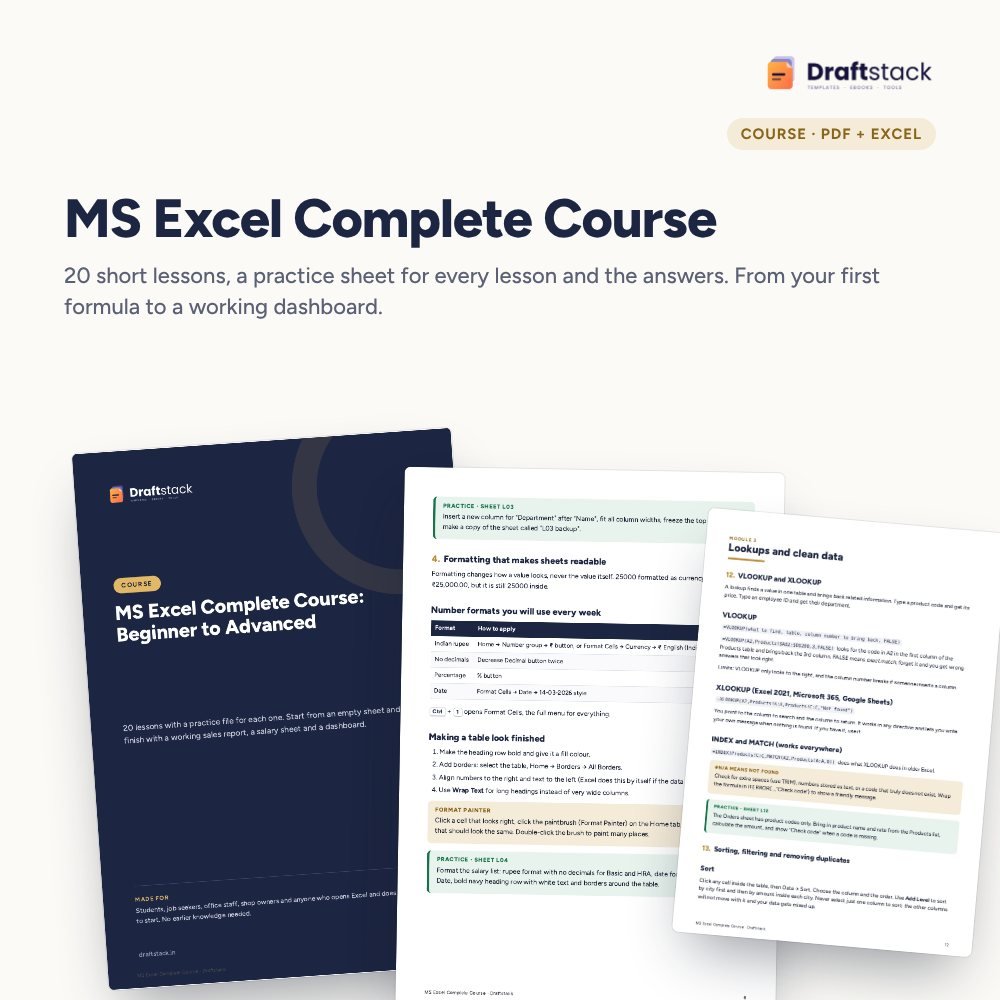
MS Excel Complete Course: Beginner to Advanced (20 Lessons + Practice Files)
Learn Excel the way offices in India use it: 20 short lessons, a ready practice sheet for each one and the answers, from typing your first formula to building a dashboard.
₹224₹999Save ₹775 (78%)
Inclusive of all taxes · One-time payment · Instant download
See a free sample (PDF) Diwali Sale: 25% off, ends 08 Nov, 11:59 PM
Instant downloadOn screen + email
Secure paymentUPI · Cards · Net Banking
7-day helpFix or refund if faulty
Perfect for
Students and freshers preparing for office jobsOffice staff who use Excel every day but only the basicsShop and business owners who keep their own records
What you getCourse book (PDF) + practice file + answer file (.xlsx)
Works withAny phone, tablet or computer · Print-ready A4 · Excel / Google Sheets for practice
DeliveryInstant download
LicencePersonal & own-business use
 Get the whole Mega BundleCareer, Skills & Money Mega Bundle: Resume, Study, AI, Office & Tax Tools · ₹2,949 · you save ₹10,446See →
Frequently bought together
 This item: MS Excel Complete Course: Beginner to Advanced (20 Lessons + Practice Files)₹224
 Advanced Excel Course: Pivot Tables, Power Query & Dashboards₹337
 MS Word Complete Course with Practice Documents₹224
All three: ₹785Sale prices
Most people learn Excel from scattered videos and still freeze when a manager asks for a summary by city. This course goes in order, one small step a day, and every step is practised on real-looking Indian data: bills with GST, salary sheets, sales registers and lead lists.
What you learn
- Basics done right: the screen, typing data so formulas work, rows and sheets, formatting with ₹
- Formulas: SUM to IF, COUNTIF and SUMIFS, text and date functions, the $ sign explained simply
- Lookups and clean data: VLOOKUP, XLOOKUP, INDEX MATCH, sorting, filtering, duplicates, drop-down lists, colour rules
- Reports: Excel Tables, pivot tables, charts and a one-page dashboard with a month selector
- Finish: printing on one page, protecting formulas, sharing
How it works
The course book is a PDF you read on your phone or print. Each lesson ends with a task on its own sheet in the practice file. When you are done, compare with the answer file. It is a self-paced reading course with files, not a video course.
What's inside
Everything you get
01
Course book
20 lessons in 5 modules, PDF
02
Practice file
One sheet of ready data for every lesson
03
Answer file
Every task solved with working formulas
04
Revision plan
7-day plan, 15 shortcuts, interview questions
Files in your download
- PDFMS_Excel_Complete_Course.pdf625 KB
- XLSXExcel_Course_Practice.xlsx59 KB
- XLSXExcel_Course_Answers.xlsx61 KB
How to use
Start in 5 simple steps
A step-by-step guide is also included inside your download.
- 1
Open the book
On your phone or print it
- 2
Open the practice file
Excel, Google Sheets or WPS
- 3
One lesson a day
Read, then do the task
- 4
Check the answer
Compare with the answer file
- 5
Revise in 7 days
Use the plan at the end
FAQ
Questions about this product
Is this a video course?
No. It is a course book (PDF) with practice and answer files. You read a short lesson and do the task in Excel. Many people find this faster than videos because they can go at their own speed.
I have never used Excel. Can I follow it?
Yes. Lesson 1 starts with the screen and the address of a cell. Nothing is assumed.
Does it work with Google Sheets or on a phone?
Yes. The practice file opens in Google Sheets, the Excel app and WPS Office. Where something differs in Google Sheets, the lesson says so. A computer is easier for the last lessons.
Is there a certificate?
No certificate is included. What you get is the skill: by the end you can build a sales report, a salary sheet and a dashboard you can show in an interview.
Which Excel version do I need?
Excel 2016 or newer, Microsoft 365, or the free Excel and Google Sheets apps. XLOOKUP needs Excel 2021, Microsoft 365 or Google Sheets; the course also teaches INDEX MATCH for older versions.
How do I get the files after payment?
A download button appears on screen right after payment, and the link is emailed to you. You can also download again any time from My account.
Can I use it on my phone?
Yes. It works with Any phone, tablet or computer, Print-ready A4, Excel / Google Sheets for practice. Free mobile apps are enough.
What if something does not work?
Write to us within 7 days with your order number. We will fix it, send a working file, or refund you.
Our promiseEvery file is tested before launch. If something doesn't work, we fix it or refund you within 7 days. Refund policy
Complete the set
Goes well with this
New
 New
Courses & Ebooks
Advanced Excel Course: Pivot Tables, Power Query & Dashboards
Sale₹337₹1,19972% off
 New
 New
Courses & Ebooks
File Your ITR Yourself: Step-by-Step Guide for Salaried, Pensioners & Freelancers (Ebook)
Sale₹112₹39972% off