Bank Reconciliation Statement: Steps with an Example
A bank reconciliation statement (BRS) explains the difference between the bank balance in your books and the balance on the bank statement on the same date. It is one of the most useful month-end checks for any business.
Why the two balances differ
1. Cheques issued but not presented. You wrote a cheque on 28 September and entered it; the supplier deposits it in October.
2. Deposits not yet credited. You deposited a cheque on 30 September; the bank credits it on 2 October.
3. Bank charges and interest. The bank debits charges or credits interest that you see only on the statement.
4. Direct credits and debits. A customer pays by NEFT, or an insurance premium goes by ECS, without an entry in your books.
Errors on either side are the fifth reason, and the one a BRS is best at catching.
Steps
1. Take the bank column of your cash book and the bank statement for the same month.
2. Tick every entry that appears in both.
3. List the unticked book entries: unpresented cheques and uncleared deposits.
4. List the unticked statement entries: charges, interest, direct credits and debits.
5. Start from the balance as per books and adjust:
- add cheques issued but not presented,
- subtract deposits not yet credited,
- add credits in the bank not in books,
- subtract debits in the bank not in books.
6. The result should equal the statement balance.
A worked example
Balance as per books on 30 September: ₹1,13,500.
- Add cheques not presented: ₹15,600 + ₹9,400 = ₹25,000.
- Less deposit not credited: ₹21,500.
- Add NEFT received not in books: ₹8,000; add interest: ₹412.
- Less bank charges: ₹354; less ECS premium: ₹2,600.
Worked out bank balance: 1,13,500 + 25,000 − 21,500 + 8,412 − 2,954 = ₹1,22,458. If the statement shows the same, you are reconciled. If not, look for a wrong amount or a missed entry.
After reconciling
Enter the bank-only items (charges, interest, NEFT receipt, ECS) in your cash book, so next month starts clean. Follow up any cheque older than three months.
A ready format
Our Bank Reconciliation Statement Maker lets you tick cleared items, add bank-only entries and see the reconciled balance and the difference immediately, in Excel or Google Sheets.
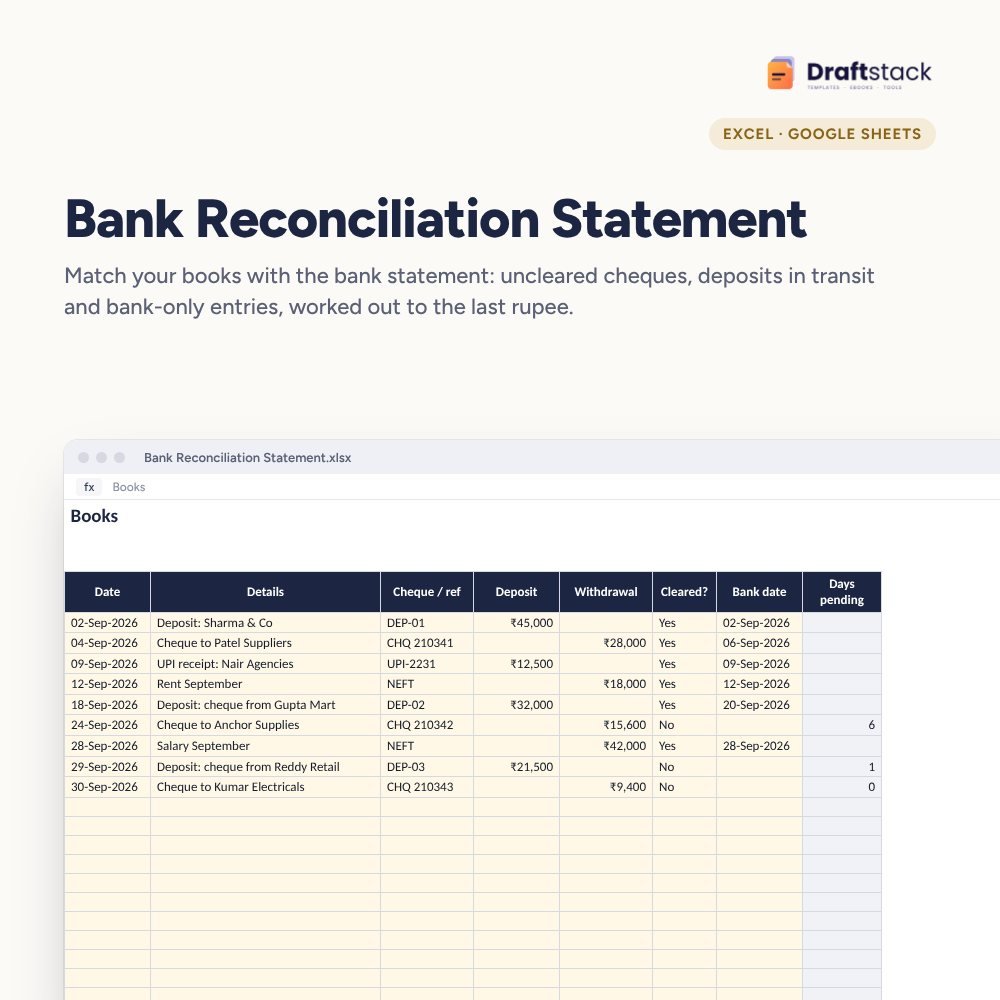 The template from this guideBank Reconciliation Statement (BRS) Maker (Excel)
₹112
 WhatsApp
Free Monthly Budget Sheet
A printable one-page budget sheet: income, fixed bills, daily spending and savings for the month. Print it or fill it on your phone.
More guides
How to Calculate Salary from Attendance (with Overtime)
The simple formula for salary from attendance, how half days, leaves and weekly offs count, and how overtime pay is worked out for factories and offices.
How to Read a Balance Sheet: A Shop Owner's Guide
What each line of a balance sheet and profit and loss account means for a small business, and five quick checks that show if the business is healthy.
Cash Book vs Petty Cash: How Small Businesses Keep Them
What a cash book and a petty cash book are, how to write them every day, and the simple habits that stop cash going missing in a small business.